The mobile companion to Azure PIM

Keep privileged access just-in-time — and actually used that way.

Your organisation already runs Privileged Identity Management so that no one holds standing admin rights. EntraAscend is what makes admins keep to it: activating, extending and deactivating roles is quick enough on the phone in their pocket that access gets switched on when it's needed — and switched off, or left to expire, when it isn't.

iOS & Android · Works with your existing Entra P2 / PIM · Sign in with your Microsoft account

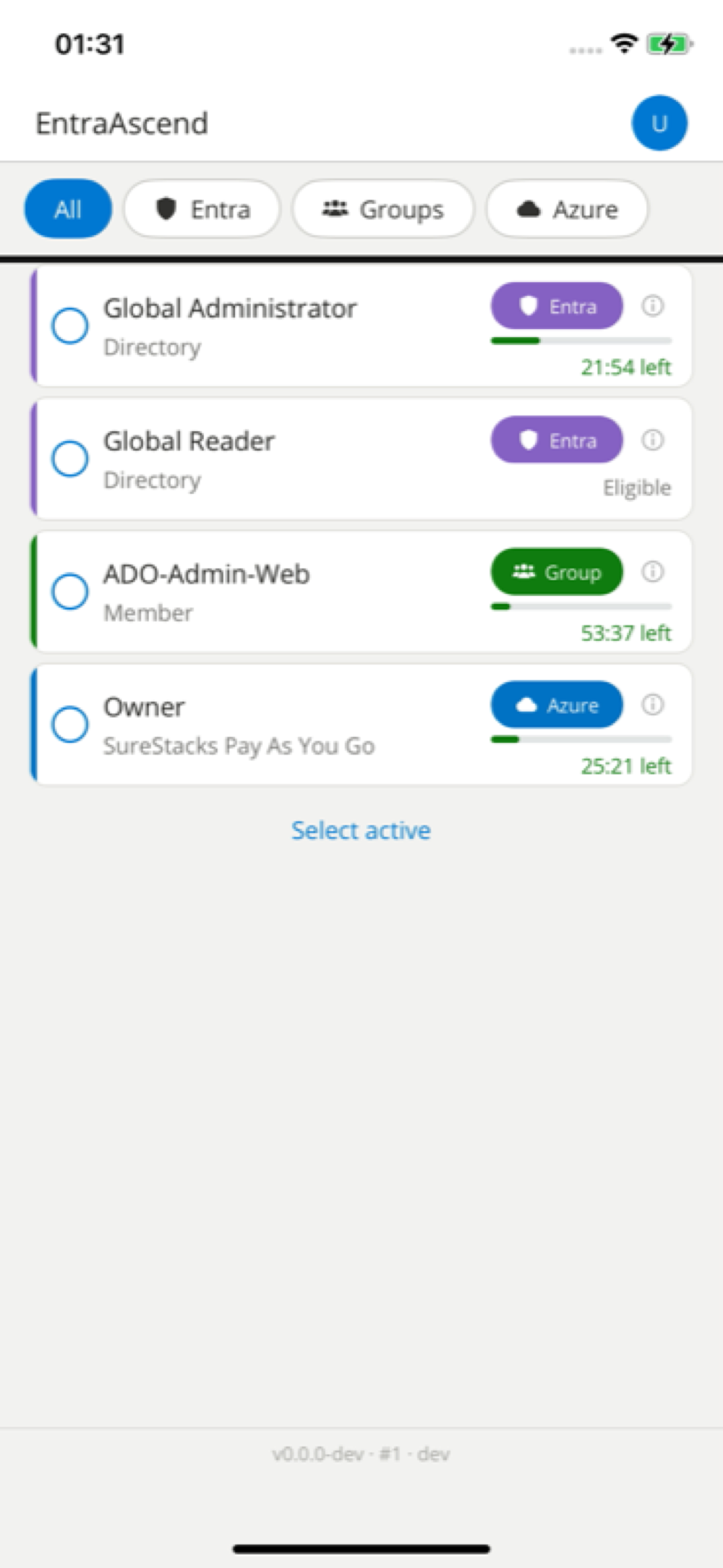
EntraAscend on iPhone: the role catalogue with All / Entra / Groups / Azure filter chips, and role cards each showing a type badge with its own icon — a shield for Entra, people for Groups, a cloud for Azure — an information affordance, and a live countdown for active roles such as “21:54 left”. A “Select active” action sits below the list.

Why it matters

The control is only as good as its everyday use.

PIM makes standing privilege unnecessary — access becomes eligible, activated just-in-time. But the activation flow lives several clicks deep in the Azure portal, and extending or deactivating is the same trip again. When it's a chore, people activate for the maximum window "to be safe" and leave roles standing. The control is in place; the hygiene quietly erodes. EntraAscend closes that gap — and the organisation gets it back.

A smaller standing-privilege surface

When switching a role off is a two-second action, admins do it — and let short activations expire rather than renewing "just in case." Fewer roles sit active between tasks, so there's less privilege for an attacker to find or misuse at any given moment.

Least privilege that holds in practice

Just-in-time access only supports Zero-Trust and least-privilege if admins actually work that way day to day. Removing the friction is what turns the policy on paper into the behaviour on the ground — and keeps it there under real workload.

Visibility across the team's access

Every eligible role, everything currently active, and what's about to expire is one glance away — for Entra directory roles, PIM for Groups and Azure resource roles alike. Awareness of privileged access stops depending on someone opening the portal to check.

Supports the just-in-time and least-privilege expectations your compliance posture already answers to — including NIS2.

For admins

The few things you do all day — done from your hand.

A focused companion to PIM, not a second platform to learn.

In the app

Your access, at a glance

Eligible roles, what's active right now, and what's expiring — all in hand. No hunting through portal blades to see where you stand.

Activate in bulk, once

Turn several roles on together: one duration, one justification, one tap. The portal does them one at a time — here the whole set goes live at once.

EntraAscend on iPhone: the role catalogue with All / Entra / Groups / Azure filter chips and role cards, each showing a type badge, an information affordance, and a live countdown for active roles.

Activating a role, start to finish

  1. 1

    Sign in with Microsoft

    Authenticate with your existing work account through the Microsoft Authenticator broker. EntraAscend never sees your password.

  2. 2

    Pick the roles and a duration

    Your eligible roles show their type and the maximum window your PIM policy allows. Select one or several, choose a duration, add a justification.

  3. 3

    Confirm with your fingerprint

    A biometric check confirms it's you, the request goes straight to Microsoft, and the roles are live. Extend or deactivate the same way when you're done.

Pricing

One app. Priced by how many privileged users you have.

Prepaid user bundles, billed monthly. Capacity is the only thing that changes between them — every bundle is the full app.

100+ users

Let's talk

The per-user rate keeps falling with scale.

More than 100 privileged users, or a tenant-wide rollout.

Contact us

Every plan includes

  • Activate, deactivate & extend across Entra directory roles
  • PIM for Groups
  • Azure resource roles
  • Bulk activation — several roles in one action
  • A notification the moment a role expires
  • Biometric-gated actions on every activation
  • iOS & Android
  • On-device privacy & auto-lock protections

Prices are per month, in euros. Checkout opens during the pilot; today, each button starts a pilot request.

Security & data

Privileged access is the most sensitive thing you manage.

Here is precisely how EntraAscend handles it.

Your tokens stay yours

There is no EntraAscend server storing, brokering or proxying your Graph, ARM or PIM tokens. Every privileged operation goes directly from your device to Microsoft, signed with your own delegated sign-in. We never hold your tokens — there is no backend sitting on your access to breach.

Biometric-gated actions

Activating, extending or re-activating a role requires an on-device biometric check (Face ID / Touch ID / fingerprint) at the moment of the action — physical presence, every time.

Locks and covers itself

The app auto-locks after inactivity and hides its contents behind a privacy cover when it's backgrounded, so a glance at a left-open phone doesn't reveal your privileged access. It also refuses to run on a rooted or jailbroken device.

Data-minimal by design

The app works with your role assignments in the moment; sensitive inputs like justifications are stored encrypted on the device only (Keychain / Keystore). No profile of your activity is built.

Sign-in uses the Microsoft Authenticator broker; EntraAscend never handles your password.

Get started

Join the pilot

We're onboarding a small group of early teams. Tell us about your setup and we'll get you access.

Prefer email? Write to contact@entraascend.io.